
About backing up critical system components
Backup Exec is configured to automatically back up the critical system components that you need to perform a full system restore. Backing up critical system components ensures that you are capable of recovering your computers in the event of a disaster.
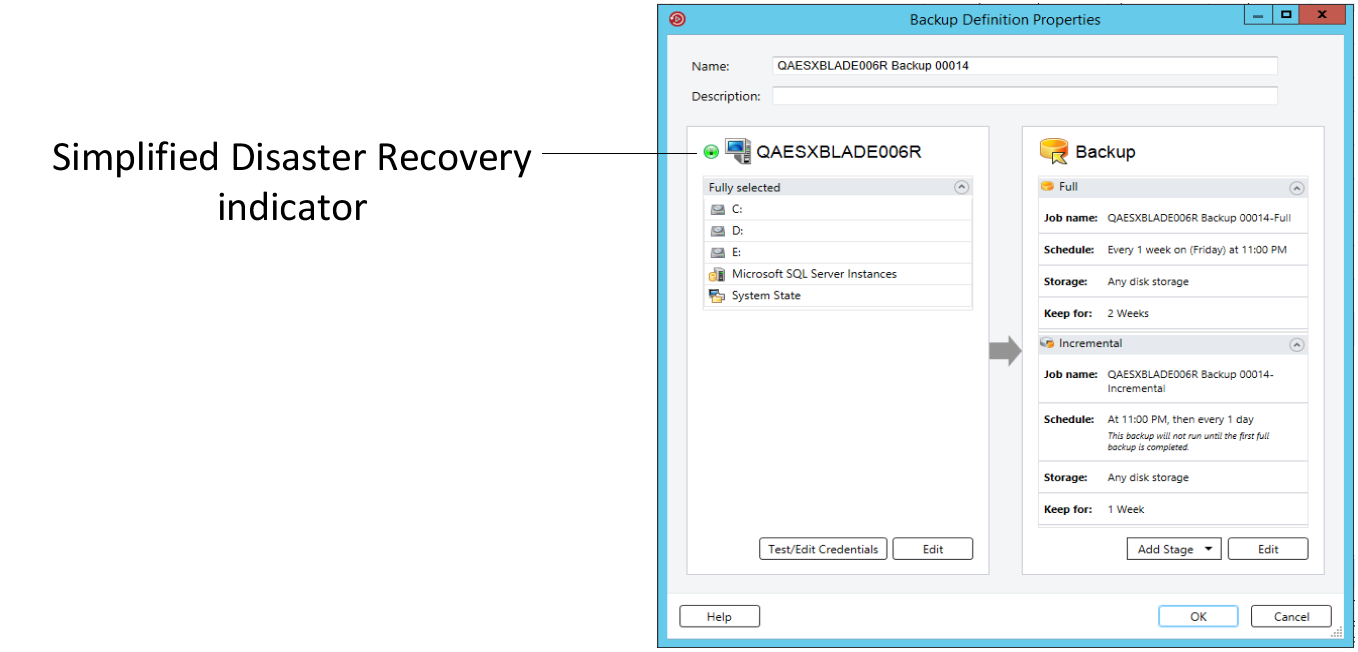
When all the critical system components are included in your backup job selections, the Simplified Disaster Recovery indicator on the selections pane reads ON. If you deselect one or more critical system component files, the indicator changes to OFF.
Figure: Simplified Disaster Recovery indicator is ON in the Backup Definition Properties dialog box
You must include all critical system components in your backup selections if you intend to use any of the following restore scenarios:
-
Simplified Disaster Recovery
-
Conversion to virtual machines
-
Complete online restore of a Microsoft Windows computer
Some restore scenarios are only available for certain data types and Backup Exec agents. Additionally, you must select a specific backup method for some data types if you intend to use a physical-to-virtual conversion or a backup-to-virtual conversion.
Related information
Table: Restore scenarios by data type
| File System or Agent Name | Operating System and Applications Are Installed and Functional | Complete Online Restore Can Be Performed | Physical-to-Virtual Conversion Can Be Performed | Backup-to-Virtual Conversion Can Be Performed | Simplified Disaster Recovery Can Be Performed |
|---|---|---|---|---|---|
| Active Directory | Yes | Yes | Yes | Yes | Yes |
| Active Directory Lightweight | Yes | No | No | No | No |
| CSV | Yes | Yes | No | No | Yes |
| EFI | Yes | Yes | No | No | Yes |
| Enterprise Vault | Yes | No | No | No | No |
| Exchange Agent | Yes | No | Yes, any incremental or differential backups must use the block-level backup method | Yes, any incremental or differential backups must use the block-level backup method | No |
| FAT | Yes | Yes | Yes | Yes | Yes |
| Hyper-V Agent | Yes | No | No | No | No |
| NTFS | Yes | Yes | Yes | Yes | Yes |
| Oracle RMAN Windows Agent | Yes | No | No | No | No |
| ReFS | Yes | Yes | No | No | Yes |
| Shadow Copy Components | Yes | Yes | Yes | Yes | Yes |
| SharePoint Agent | Yes | No | No | No | No |
| SQL Agent | Yes | No | Yes, any incremental or differential backups must use the block-level backup method | Yes, any incremental or differential backups must use the block-level backup method | No |
| System State | Yes | Yes | Yes | Yes | Yes |
| Utility Partition | Yes | Yes | No | No | Yes |
| VMware Agent | Yes | No | No | No | No |
| Windows Deduplication | Yes | Yes | No | No | Yes |
You cannot individually select critical system components as backup selections. You must select the entire server to ensure that all critical system components are included in the backup. When you select to back up a server, Backup Exec includes all of the server's system devices and application agents. Backup Exec dynamically discovers and protects all critical and non-critical system devices and application agents.
You can explicitly exclude any non-critical devices or application data from the backup selections without affecting your ability to perform a full system restore. You can exclude Microsoft Exchange data from your backup, for example, and still use the backup sets to perform a disaster recovery.
The following system resources are considered critical and they must be included in backups if you want to be able to use the backup sets to perform a full system restore:
-
System volume (including EFI and utility partitions)
-
Boot volume (excluding operating system)
-
Services application volumes (boot, system, and automatic startup)
-
System State devices and volumes (including Active Directory, System Files, etc.)
-
Windows Recovery Partition (WinRE) on any applicable versions of Windows