
Configuring backup methods for backup jobs
When you create a backup definition, you must select backup methods for each backup job. The backup method determines what data Backup Exec backs up. The standard backup methods are full, differential, and incremental. However, you can also select specific backup methods for some agents and types of data.
By default, each backup definition contains one backup job with an initial full backup method that cannot be changed and a backup job with the incremental backup method. You can replace the incremental job with a differential job, add additional incremental or differential backup jobs, or change the backup methods to data-specific backup methods for certain types of data. Each backup method can be given a unique name to help make it more easily identifiable.
To configure backup methods for backup jobs
-
Create or edit a backup definition.
-
In the Backup box, click Edit.
-
In the left pane, click Schedule.
-
(Optional) To add additional backup jobs to the backup definition, complete the following steps:
-
Click Add a Backup Job.
-
Select the type of backup method that you want to use for the new backup job.Note: You can change the backup method to a data specific one for specific agents and types of data later.
-
-
Type a name for each backup job that you want to configure a backup method for in the Job template name field.
-
(Optional) To change any of the backup methods that you selected into a data-specific backup method, complete the following steps:
-
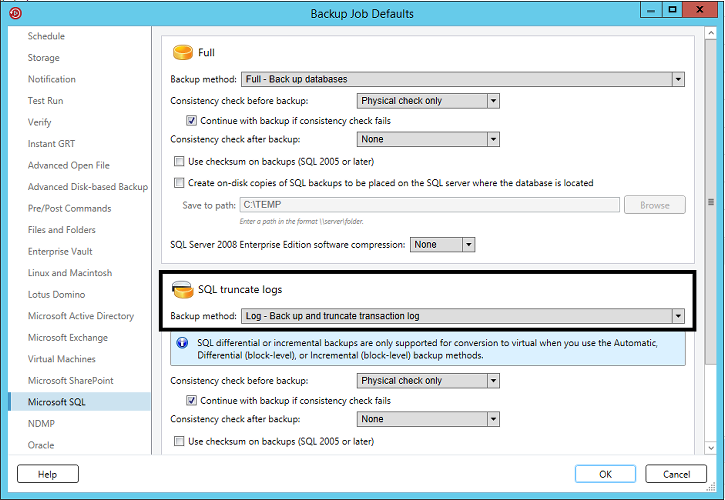
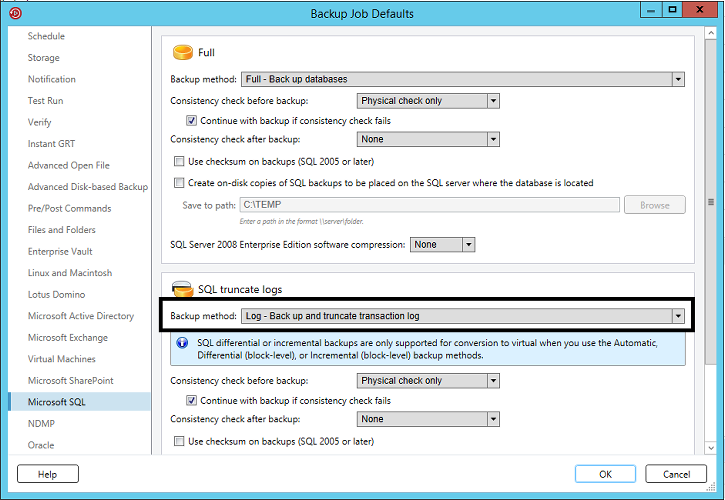
In the left pane, select the agent or data type for which you want to configure the data-specific backup method.
-
For example, if you want to select a data-specific backup method for SQL data, select Microsoft SQL.
-
In the Backup method field, select the data-specific backup method for each applicable backup job.
-
Click OK.
Related information